'/%3e%3crect%20x='-83'%20y='270'%20width='356'%20height='136'%20fill='%23FF6600'/%3e%3cpath%20d='M564%20260Q616%20260%20648.5%20277.0Q681%20294%20697.5%20311.5Q714%20329%20716%20333H724V270H895V800H724V737H716Q714%20741%20697.5%20759.0Q681%20777%20648.5%20793.5Q616%20810%20564%20810Q506%20810%20463.0%20786.5Q420%20763%20391.0%20723.5Q362%20684%20348.0%20635.0Q334%20586%20334%20535Q334%20484%20348.0%20435.0Q362%20386%20391.0%20346.5Q420%20307%20463.0%20283.5Q506%20260%20564%20260ZM618%20397Q581%20397%20556.0%20417.5Q531%20438%20519.0%20469.5Q507%20501%20507%20535Q507%20569%20519.0%20600.5Q531%20632%20556.0%20652.5Q581%20673%20618%20673Q655%20673%20679.5%20652.5Q704%20632%20716.5%20600.5Q729%20569%20729%20535Q729%20501%20716.5%20469.5Q704%20438%20679.5%20417.5Q655%20397%20618%20397Z'%20fill='%23FFFFFF'/%3e%3cpath%20d='M1329%20810Q1278%20810%201245.0%20793.0Q1212%20776%201196.0%20758.5Q1180%20741%201178%20737H1170V800H999V40H1170V333H1178Q1180%20329%201196.0%20311.0Q1212%20293%201245.0%20276.5Q1278%20260%201329%20260Q1388%20260%201431.0%20283.5Q1474%20307%201502.5%20346.5Q1531%20386%201545.5%20435.0Q1560%20484%201560%20535Q1560%20586%201545.5%20635.0Q1531%20684%201502.5%20723.5Q1474%20763%201431.0%20786.5Q1388%20810%201329%20810ZM1276%20673Q1313%20673%201338.0%20652.5Q1363%20632%201375.0%20600.5Q1387%20569%201387%20535Q1387%20501%201375.0%20469.5Q1363%20438%201338.0%20417.5Q1313%20397%201276%20397Q1239%20397%201214.0%20417.5Q1189%20438%201177.0%20469.5Q1165%20501%201165%20535Q1165%20569%201177.0%20600.5Q1189%20632%201214.0%20652.5Q1239%20673%201276%20673Z'%20fill='%23FFFFFF'/%3e%3cpath%20d='M1664%20800V270H1835V800Z'%20fill='%23FFFFFF'/%3e%3crect%20x='1664.0'%20y='40'%20width='171'%20height='171'%20fill='%23FF6600'/%3e%3cpath%20d='M1945%20800V270H2116V345H2121Q2131%20329%202148.5%20309.0Q2166%20289%202195.5%20274.5Q2225%20260%202269%20260Q2333%20260%202371.5%20289.0Q2410%20318%202427.0%20362.5Q2444%20407%202444%20454V800H2273V486Q2273%20452%202255.0%20425.5Q2237%20399%202196%20399Q2151%20399%202133.5%20428.5Q2116%20458%202116%20493V800Z'%20fill='%23FFFFFF'/%3e%3cpath%20d='M2792%20810Q2724%20810%202684.5%20789.0Q2645%20768%202627.0%20736.5Q2609%20705%202604.0%20672.5Q2599%20640%202599%20617V406H2511V270H2599V139H2770V270H2878V406H2770V612Q2770%20642%202786.5%20659.5Q2803%20677%202843%20677Q2860%20677%202873.0%20674.5Q2886%20672%202886%20672V800Q2886%20800%202857.5%20805.0Q2829%20810%202792%20810Z'%20fill='%23FFFFFF'/%3e%3cpath%20d='M3236%20810Q3165%20810%203113.0%20786.5Q3061%20763%203026.5%20723.5Q2992%20684%202975.5%20635.0Q2959%20586%202959%20534Q2959%20484%202975.0%20435.0Q2991%20386%203024.0%20346.5Q3057%20307%203108.5%20283.5Q3160%20260%203231%20260Q3307%20260%203364.5%20292.5Q3422%20325%203454.5%20387.5Q3487%20450%203487%20539V579H3131Q3134%20620%203160.5%20650.5Q3187%20681%203236%20681Q3273%20681%203292.5%20667.5Q3312%20654%203319.0%20640.0Q3326%20626%203326%20626H3483Q3483%20626%203478.0%20644.5Q3473%20663%203459.0%20690.5Q3445%20718%203418.0%20745.5Q3391%20773%203346.5%20791.5Q3302%20810%203236%20810ZM3130%20480H3323Q3321%20433%203294.5%20409.0Q3268%20385%203228%20385Q3189%20385%203161.5%20409.0Q3134%20433%203130%20480Z'%20fill='%23FFFFFF'/%3e%3cpath%20d='M3585%20800V40H3756V800Z'%20fill='%23FFFFFF'/%3e%3c/svg%3e)
The three design rules behind 90% of rejected DXFs
Tiny holes, features hugging the edge, and "sharp" inner corners — why the physics says no, and the one-line fixes that keep your quote from bouncing back.
Why files bounce
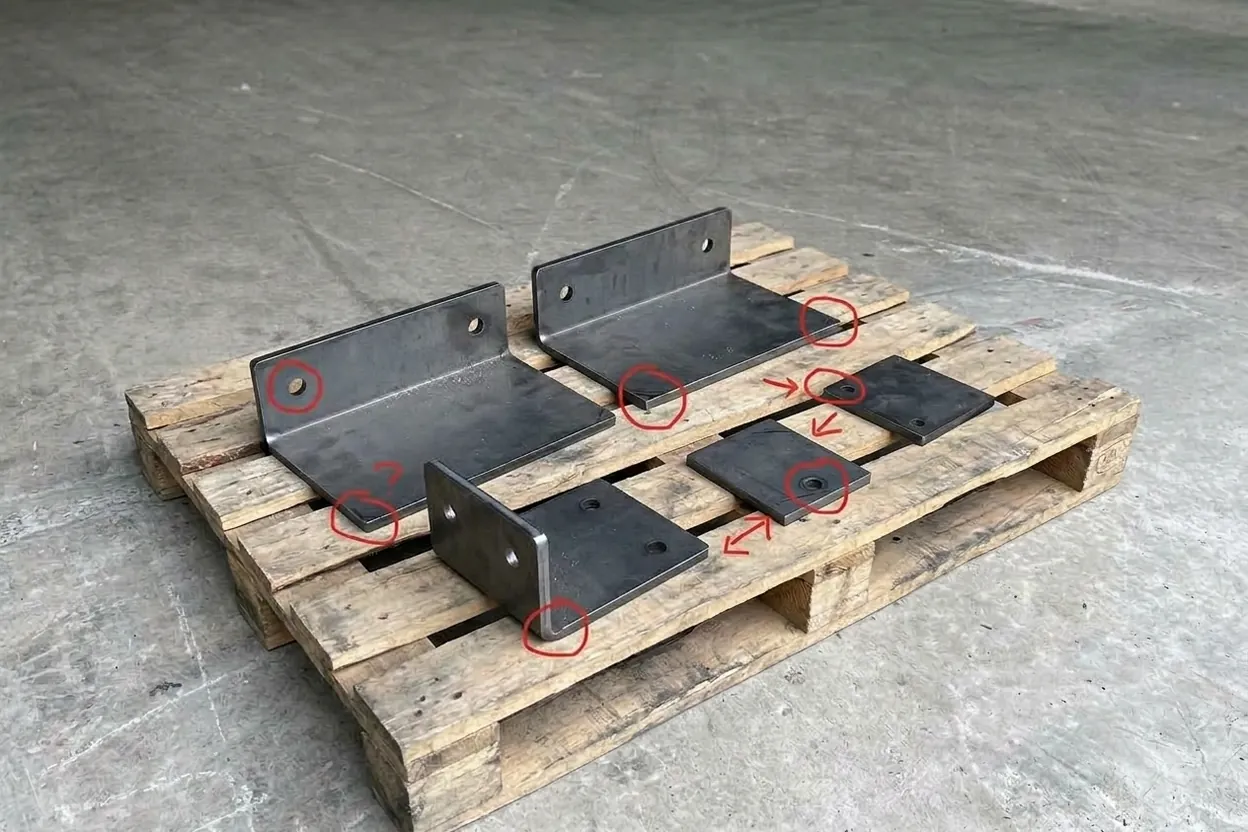
Last month we quoted 412 DXF files. Thirty-eight went back to their owners with red markup before a single sheet moved — and nearly all of them broke one of the same three rules.
None of this is style. It comes down to what a 0.2 mm beam of light physically does to molten metal. Learn the three rules once and your files go straight from inbox to nesting — which is how a 24-hour quote actually happens in 24 hours.
Holes narrower than the sheet is thick
A laser doesn’t drill; it pierces, then orbits. For the melt to escape the kerf cleanly, the hole must be at least as wide as the material is thick. Below ⌀ 1 × t the beam re-melts its own edge on the way around — you get taper, dross on the underside, and a hole no bolt will thank you for.
| SHEET t | MIN ⌀ — STEEL · O₂ | MIN ⌀ — STAINLESS · N₂ |
|---|---|---|
| 1.5 mm | ⌀ 1.5 | ⌀ 1.8 |
| 3 mm | ⌀ 3.0 | ⌀ 3.6 |
| 6 mm | ⌀ 6.0 | ⌀ 7.2 |
| 10 mm | ⌀ 10.0 | — |
Over 8 mm stainless, talk to us first — gas choice depends on the edge you need.
Need smaller? Have us cut a centre mark and drill the hole in post — it’s nearly always cheaper than fighting the beam.
Features hugging the edge
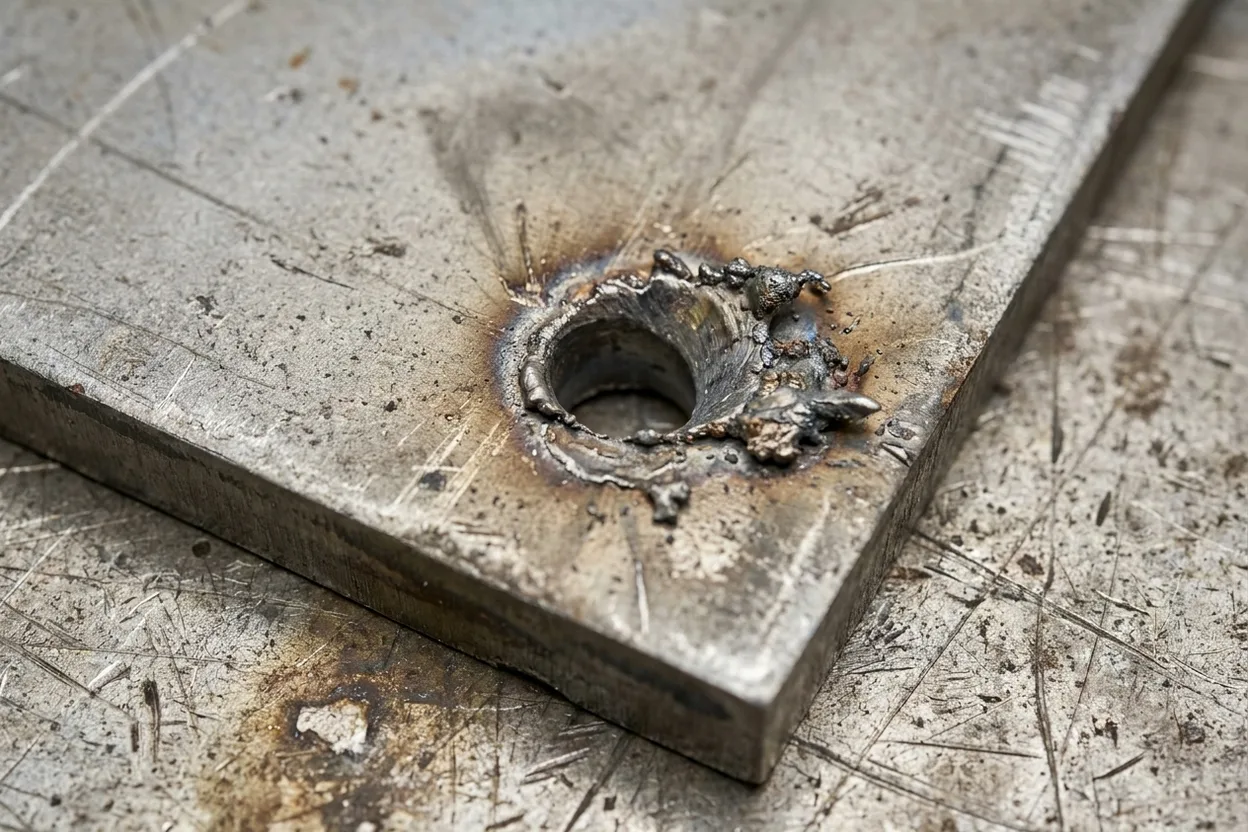
Every cut dumps heat into the part. A hole that hugs the edge leaves a thin web of metal heated from both sides at once — it warps, discolours, or blows out entirely. The same goes for two features crowding each other.
If the geometry is non-negotiable — flanges, hinge knuckles — tell us. We can slow the feed and pulse the pierce, but that’s a decision for the quote, not a surprise for the machine.
The beam is a tool with a width. Design as if it exists, and it behaves as if it likes you.
Zero-radius inside corners
CAD will happily draw an infinitely sharp inner corner; a beam with a 0.2 mm kerf cannot cut one. Forced into it, the machine decelerates to a stop, dwells, and burns a notch exactly where your part concentrates stress.
Outside corners are free — the beam simply travels past them. It’s only the inside ones that ask it to turn on a point.
Before you export
Three rules for geometry; five habits for the file itself. This is the exact list taped above the nesting PC:
- 01 Scale 1:1, in millimetres If a 100 mm edge measures 3.937, it came from inches. We catch most — not all.
- 02 Explode text and dimensions to curves Fonts don’t travel. Anything still "live" gets skipped by the nest.
- 03 Purge duplicate and overlapping lines Stacked lines cut twice: double heat, burned edge.
- 04 Close every contour Gaps under 0.01 mm still break the toolpath.
- 05 Material and thickness in the filename bracket_SS304_2.0.dxf answers three emails before they’re sent.
Not sure your file passes?